


 1 (760) 224-9616
Last Updated: November 7, 2026
Quick Summary
At checkout, choose the local currency of the country where the merchant is based, not your home bank's currency. Paying in local currency lets your bank or card network handle the conversion, which usually costs less than letting the merchant convert. Read the total twice and keep the receipt to check fees later.
- The currency prompt often appears on a second screen most shoppers tap through without reading.
- Paying in home currency hands conversion to the merchant or terminal and often includes a hidden markup.
- Dynamic currency conversion adds a margin on top of the exchange rate at the point of sale.
- Some cards charge no foreign transaction fee while others add one on overseas purchases.
- Check your card terms before shopping abroad because the right currency choice depends on your fee structure.
Table of Contents
- How to Shop with Local Currency Online at Checkout
- Pay in Local Currency or Home Currency: Which Saves You More
- Dynamic Currency Conversion and International Transaction Fees Explained
- Frequently Asked Questions
How to Shop with Local Currency Online at Checkout
Learning how to shop with local currency starts with one rule: at checkout, choose the currency of the country you are shopping in, not your home bank's.
- Spot the prompt early. Checkouts often ask for your currency before you pay.
- Pick the local currency, the currency where the merchant is based.
- Read the total twice. Confirm the amount matches the price you agreed to.
- Keep the receipt in case you check fees later.
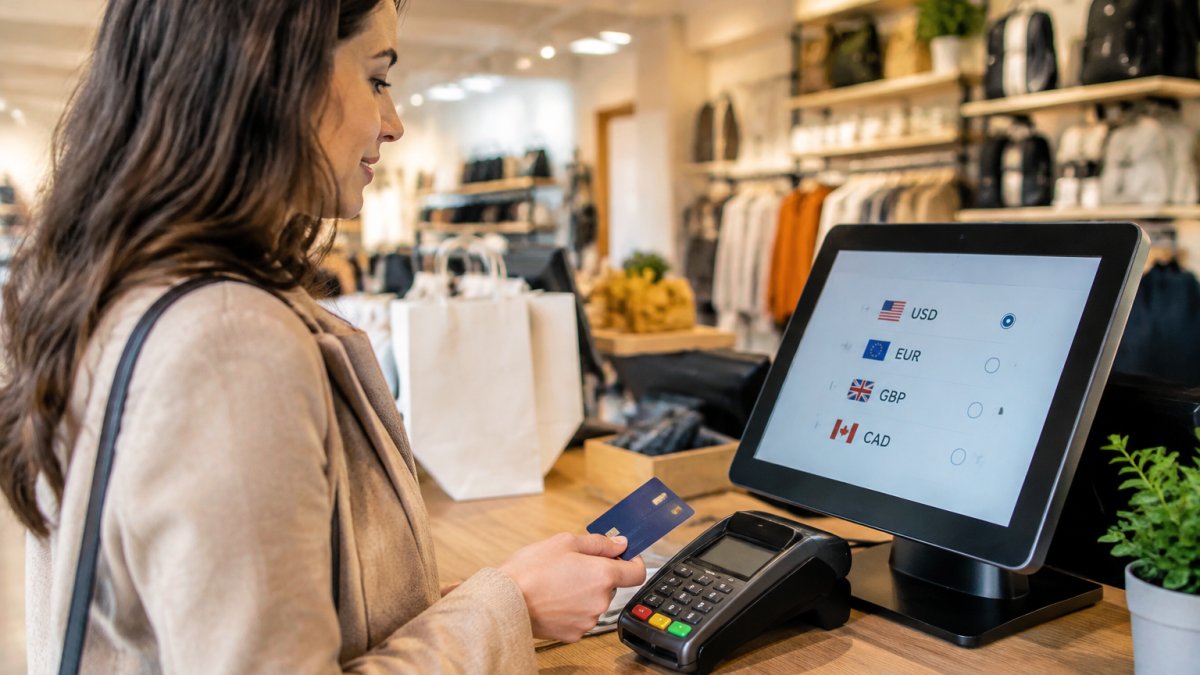
Watch out: the currency prompt often appears on a second screen most shoppers tap through without reading.
Want to know how long a cross-border order takes to arrive? See how long international shipping takes before you confirm payment.
Pay in Local Currency or Home Currency: Which Saves You More
Paying in local currency generally means your own bank or card network handles the conversion, while paying in home currency hands that job to the merchant or terminal. Which option costs less depends on your card and bank terms.
Here is the trade-off in plain terms:
| Choice | Who converts the money | Typical effect on cost |
|---|---|---|
| Local currency | Your bank or card network | Usually lower total cost |
| Home currency | Merchant or payment terminal | Often includes a hidden markup |
If you are comparing marketplaces as well as currencies, this guide to the best online marketplace for international shoppers covers what to look for.
Dynamic Currency Conversion and International Transaction Fees Explained
Dynamic currency conversion lets a merchant or card terminal convert your purchase into your home currency at the point of sale. It sounds helpful, but it usually costs more than letting your own bank do the conversion.
- Dynamic currency conversion markup: a margin added by the merchant or terminal on top of the exchange rate.
- Foreign transaction fee: a separate charge some banks add for purchases made in a foreign currency.
- Exchange-rate spread: the small gap between the rate you see and the rate your bank actually applies.
Some cards charge no foreign transaction fee at all; others add one on overseas purchases. Check your card terms before you shop abroad, because the right currency choice depends on your own fee structure.
If you want to cut costs further on the delivery side, these tips on how to avoid shipping fees when shopping online pair well with a smart currency choice.
Choosing the right currency at checkout is a small habit that protects your money on every overseas order. At onlinegotmine.com, we make that easier with multi-currency support for international shoppers, free shipping on select items, and trending deals with coupon codes for extra savings. Get started with onlinegotmine.com and shop cross-border with clearer pricing from the first click.
Frequently Asked Questions
Should I choose to pay in local currency or USD?
Choose local currency. When you pay in local currency, your card issuer or payment network generally handles the conversion. Paying in USD at a foreign terminal lets the merchant set the conversion rate, so the total cost can differ. Select local currency whenever the prompt appears.
How can I avoid a 3% international transaction fee?
Check whether your card charges a foreign transaction fee before you travel or shop abroad. Many travel credit cards waive this fee entirely. If yours does not, use a card that does, and always pay in local currency to avoid an extra conversion markup on top of the fee. Comparing rates and reading your statement after each purchase helps you confirm what you were charged.
Do debit cards automatically convert currency?
Yes, most debit cards convert foreign currency automatically through your bank's exchange rate, but that rate often includes a markup and a possible flat fee. Some debit cards also add an international transaction fee. Paying in local currency keeps the conversion on your bank's side rather than the merchant's, which usually costs less. Check your bank's fee schedule before using a debit card overseas.


